Getting Started
Where Agile Toolbox appears in Jira, which boards it supports, and how to open your first refinement or retrospective
Updated
Agile Toolbox for Jira is a native Atlassian Forge app. Once an admin installs it from the Atlassian Marketplace, it appears in Jira for every user who can see the project. There is nothing to sign up for and no separate account.
Where the app appears
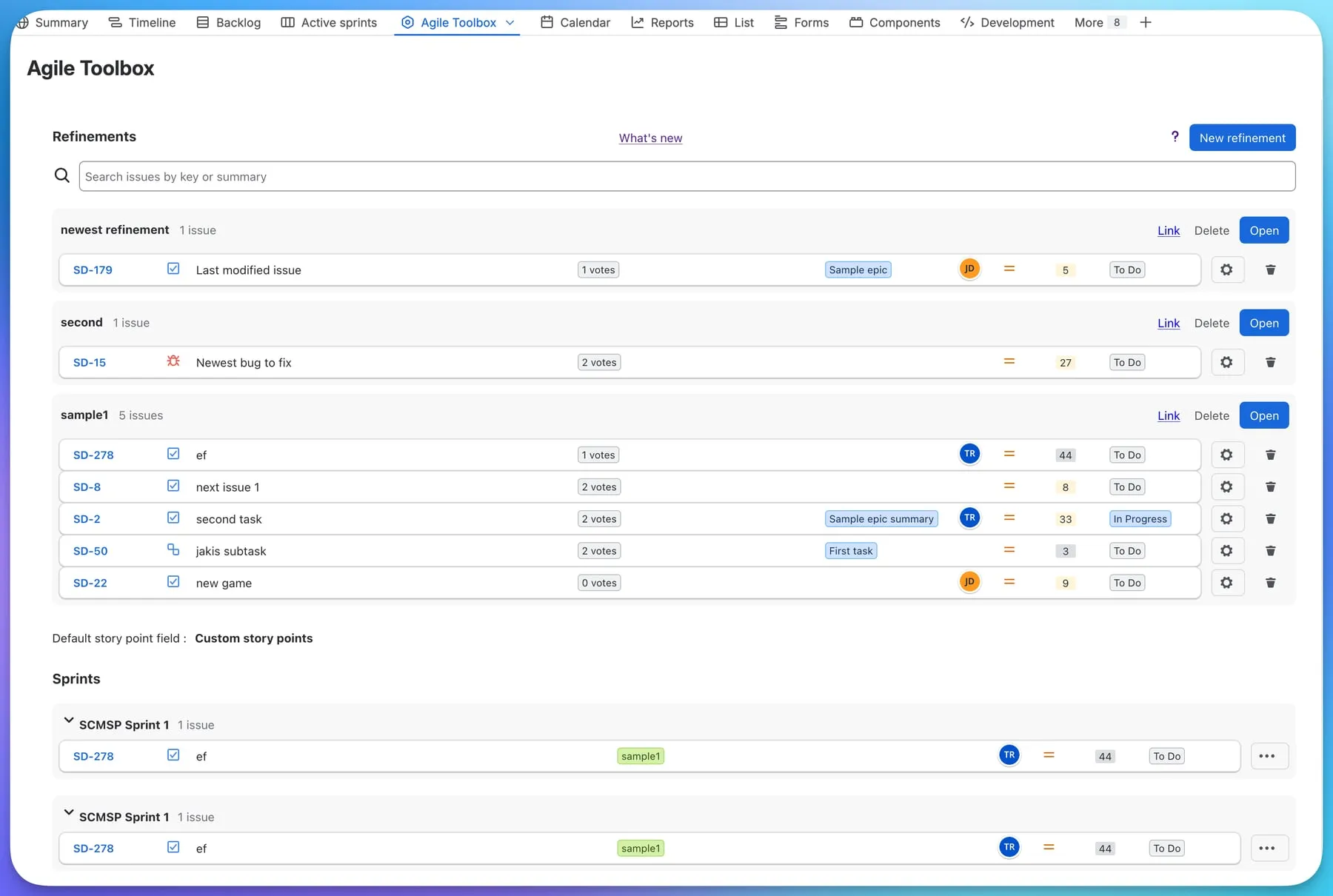
The Agile Toolbox project page
Open a software project and pick Agile Toolbox in the project sidebar. The page has two tabs:
- Refinements: build estimation sessions from the backlog, sprints or a Kanban board, and run Planning Poker on each issue. See Refinements.
- Retrospectives: create, run and archive retrospective boards. See Retrospectives.
Two actions on every issue
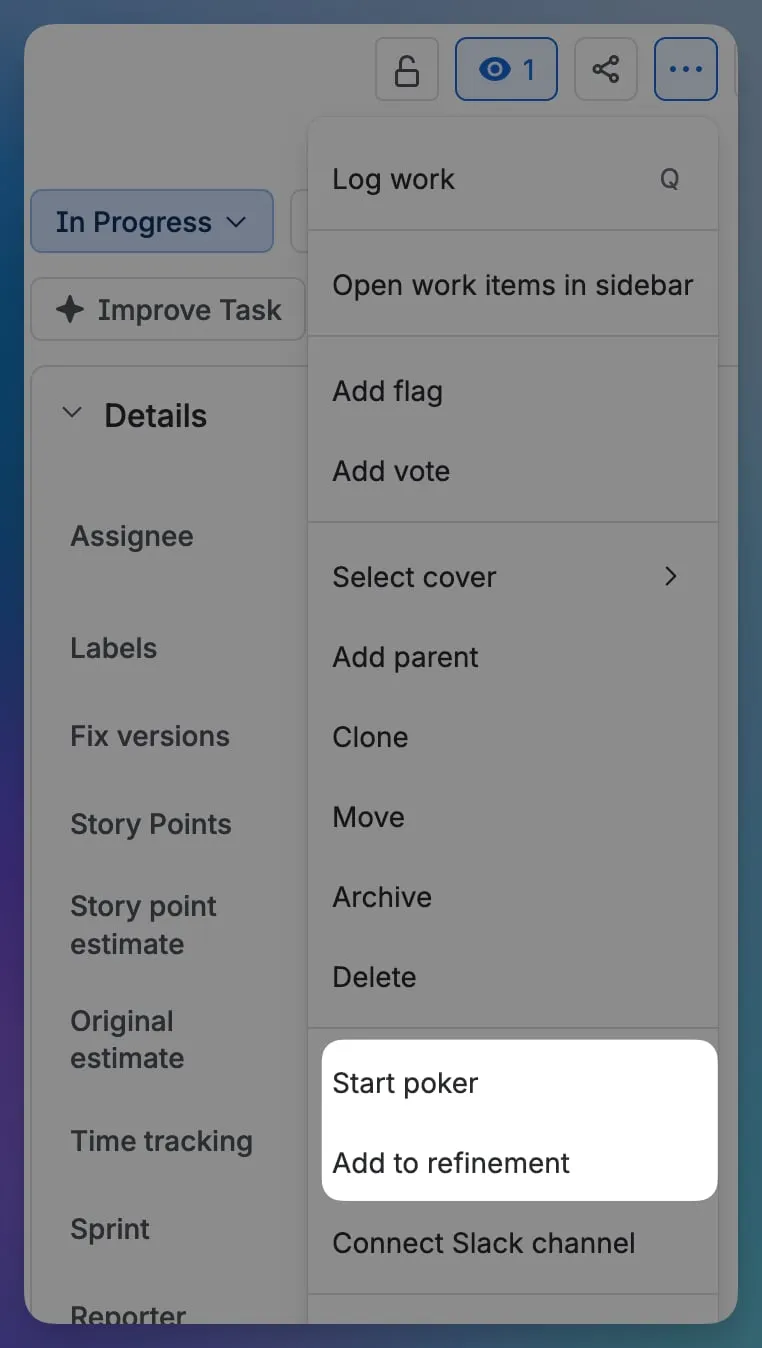
Open any issue and press the … actions menu in the top-right corner. Agile Toolbox adds two entries:
- Start poker opens a Planning Poker room for this one issue. See Estimating an issue.
- Add to refinement puts the issue into an existing refinement, or a new one, on any board of the project.
Supported boards
Refinements and retrospectives belong to a board, so every board keeps its own history.
- Scrum boards: refinements are built from the backlog and from sprints.
- Kanban boards: refinements are built from the board’s issues; the first column plays the role of the backlog.
- If a Scrum board has the backlog feature switched off, the app tells you so and asks you to enable it in the board settings.
When a project has several boards, the page asks you to pick one the first time you open it.
Light and dark theme
The app follows your Jira theme. Switch Jira to dark mode and Agile Toolbox switches with it, without a reload.
Help inside the app
Every view has a ? link to the matching documentation page and a What’s new link to the release notes. The build version is shown at the bottom of the page; include it when you raise a support request.